 Amatya
A todo app for iPhone and Mac
Just tell it.
Amatya is a todo list with a chief of staff inside. Say what's on your plate. It keeps the list, and it decides when to push you, when to wait and when to stay quiet.
early access.

Why it is different
Other todo apps wait for you to look. Amatya looks at your day and speaks up.
You talk, it sorts.
Three things in one breath become three items, each with its date.
The right push, at the right time.
It pushes in your free gaps, with the size of the task and the next step.
"Not now" teaches it.
It learns when you really do each kind of work, and it backs off when you are busy.
Capture
Say it once. It's handled.
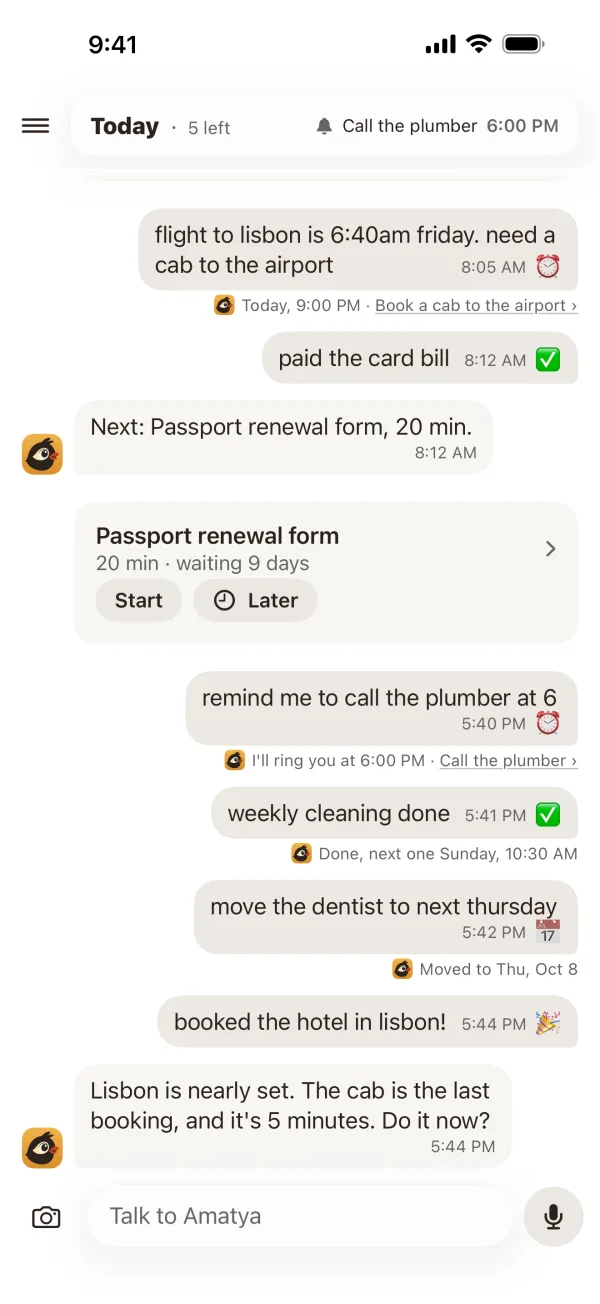
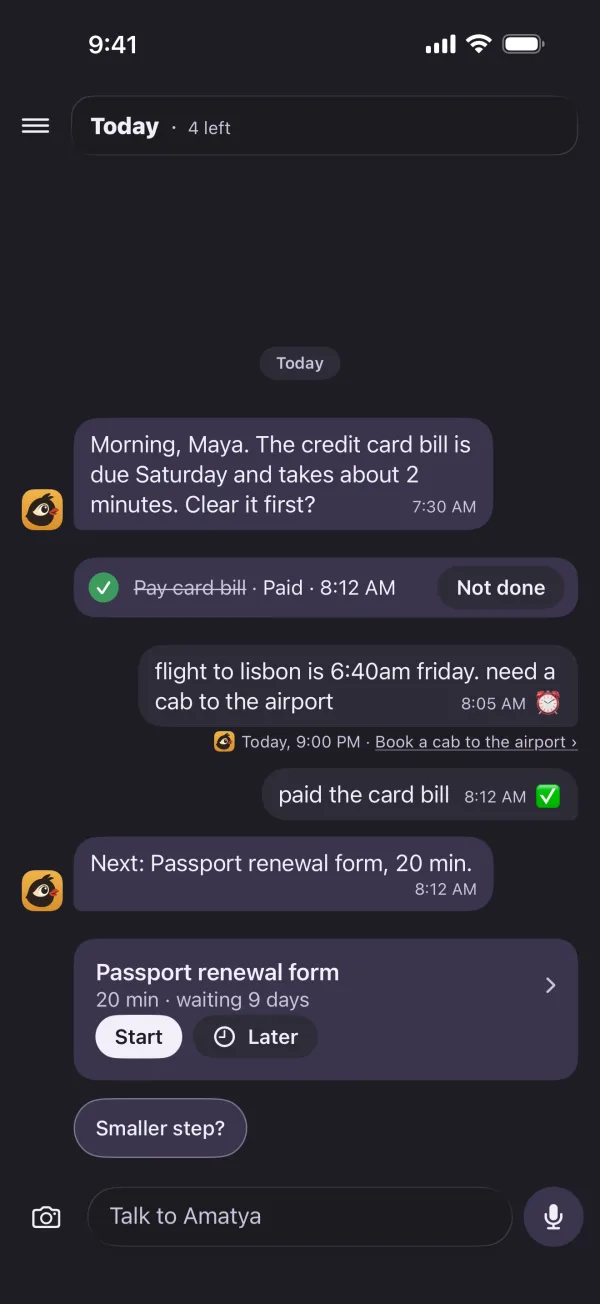
Type it or say it, the way you would tell a friend. Amatya finds the dates and times, sets the alarm, and shows you what it did.
From anywhere
Send it from any app.
Share a photo, a link or a PDF to Amatya from any app on iPhone or Mac, with one line of your own words. Take a photo of a handwritten list, and each line becomes an item.
Or say "Hey Siri, add to Amatya". Or forward an email to your own Amatya address. Your items show up in Spotlight, too.
add theseSend
Added all 4 from your list.
Judgment
Nudges when you're free.
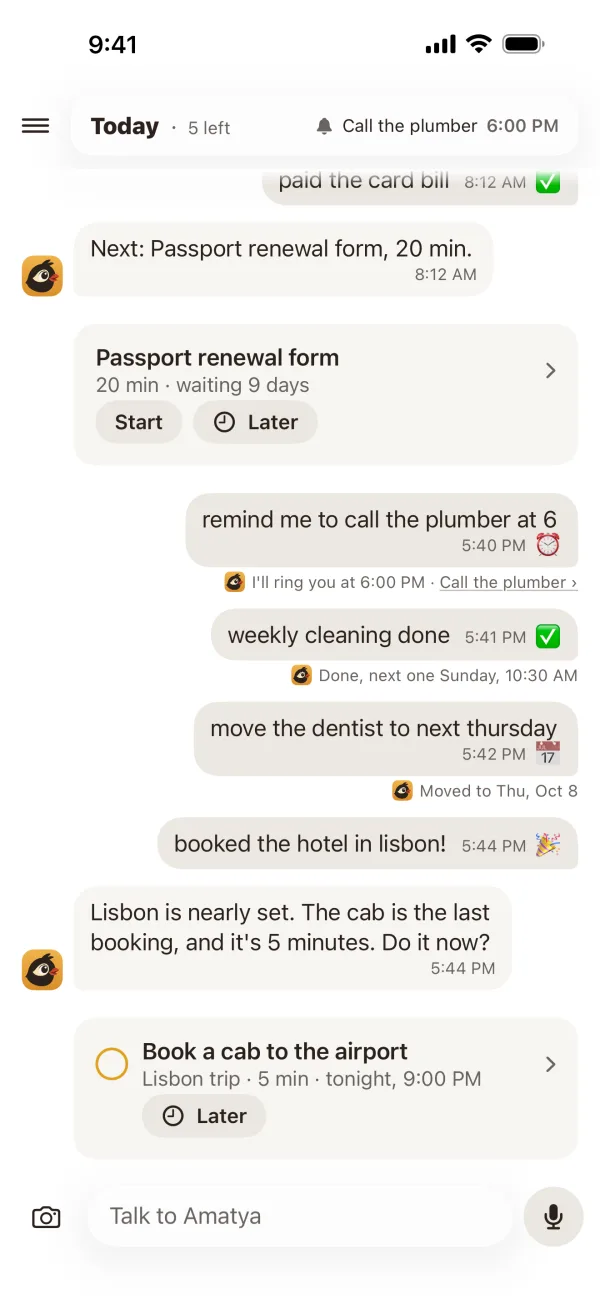
Amatya reads the busy times on your calendar, never the titles. When a gap opens, it brings up the one thing worth doing now, with its size.
Too big? Tap "Smaller step?" and it breaks the task down.

The list
Everything, in its place.
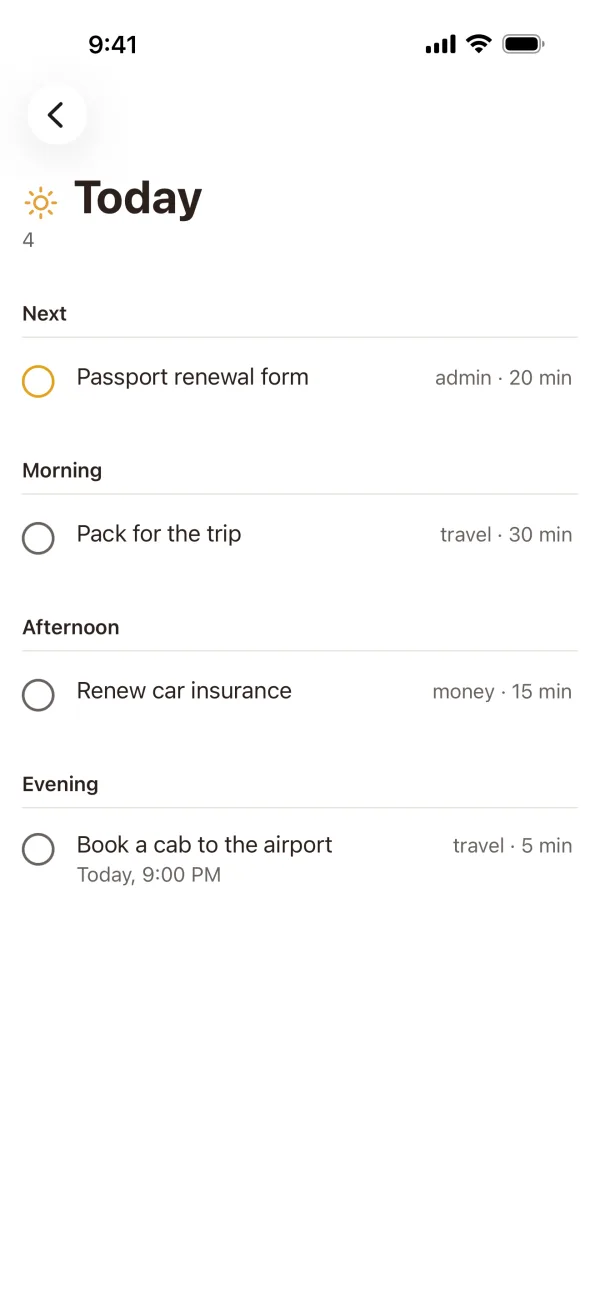
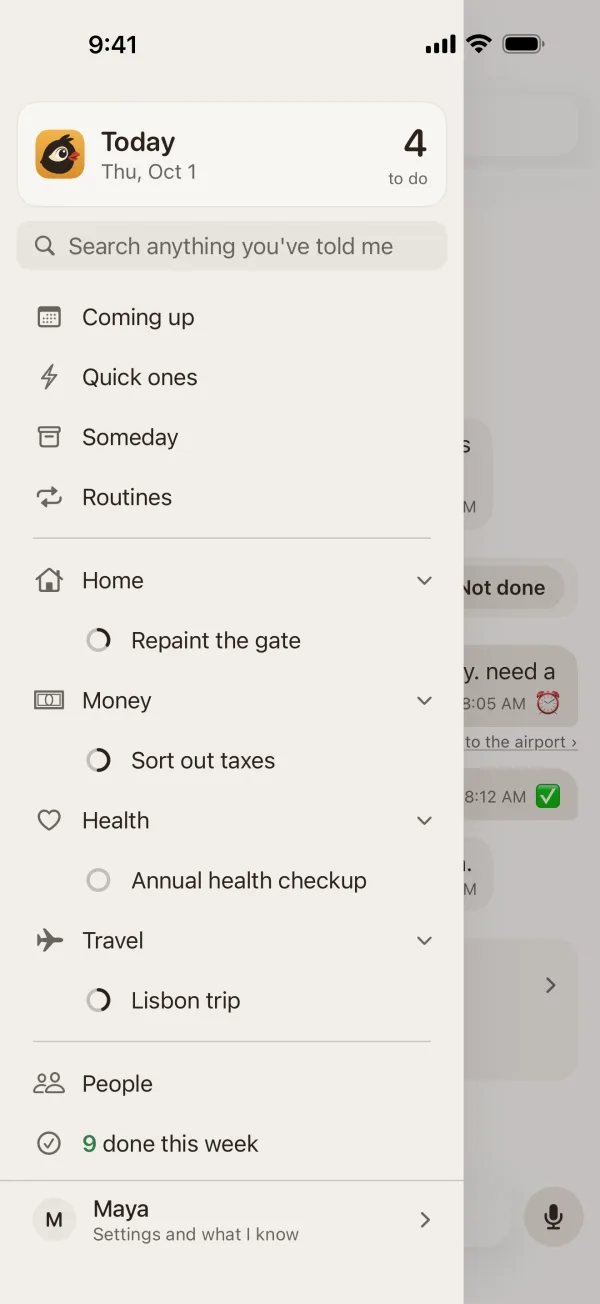
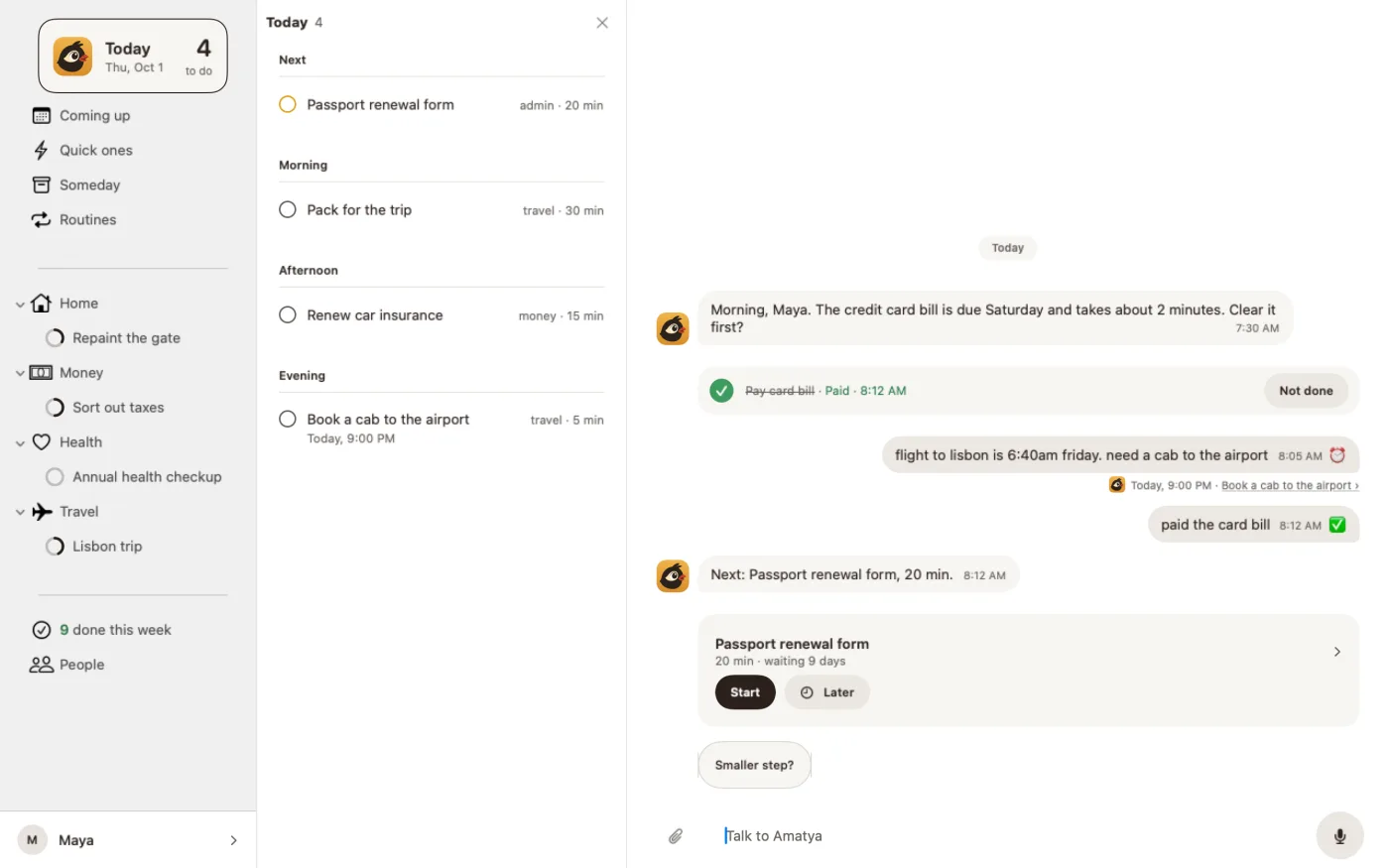
Today reads as a day, from morning to evening. Projects, routines, people and areas are one tap away. And you can always just ask: "what's coming up this week?"
Quiet hours
It knows when to be quiet.
From 10 PM to 6 AM, Amatya stays silent unless you set an alarm. Busy, travelling or short with it, it waits for a better moment. Night mode is easy on the eyes in the dark.

Mac
On your Mac, too.
The same conversation on a bigger desk. Press ⌃⌥Space from anywhere, type, and press Return.

The basics, done well
Everything a good todo app does.
Alarms at your time
"At 4 PM" rings at 4 PM. Snooze from the lock screen.
Routines
Every Monday, or two weeks after the last time. It tracks what you really did.
Steps and playbooks
Break a goal into steps. Reuse them the next time.
Calendar aware
Busy times only, read on your phone. Meetings are quiet time.
Done, kept
A year of what you finished, and a short look back every Sunday evening.
Your week, shared
On Sunday, a card of what you finished, ready to share.
What's new
Better every week.
A short note each week, with a picture of what changed.

Get your chief of staff.
Free on iPhone and Mac during early access. A paid plan comes later. We will tell you 30 days before, and early members get their first year at half price. We let people in by batches of seats, so every new person gets a good first week. If today's seats are gone, ask a friend who uses Amatya for an invite, or join the waitlist.
Get it on the App Store