What's new

Better every week.

What changed in Amatya, week by week. Each change you can see or say gets a picture. Fixes get one line.

Planning

Say when, in your own words.

Tap the date on any item. Type when, the way you would say it: "after the call with Ravi", "before Diwali", "in two hours". Amatya shows what it understood, and nothing changes until you tap Set. Or tap a day: four weeks ahead, today ringed, the deadline marked.

  • Leave it to me. Amatya picks a good moment and brings the item up then.
  • See how full each day is. A small bar under each day shows your planned work and your busy calendar time, so a light day stands out.
  • The same card on the Mac. The cursor starts in the box; Return sets it.

Try"after the call with Ravi"
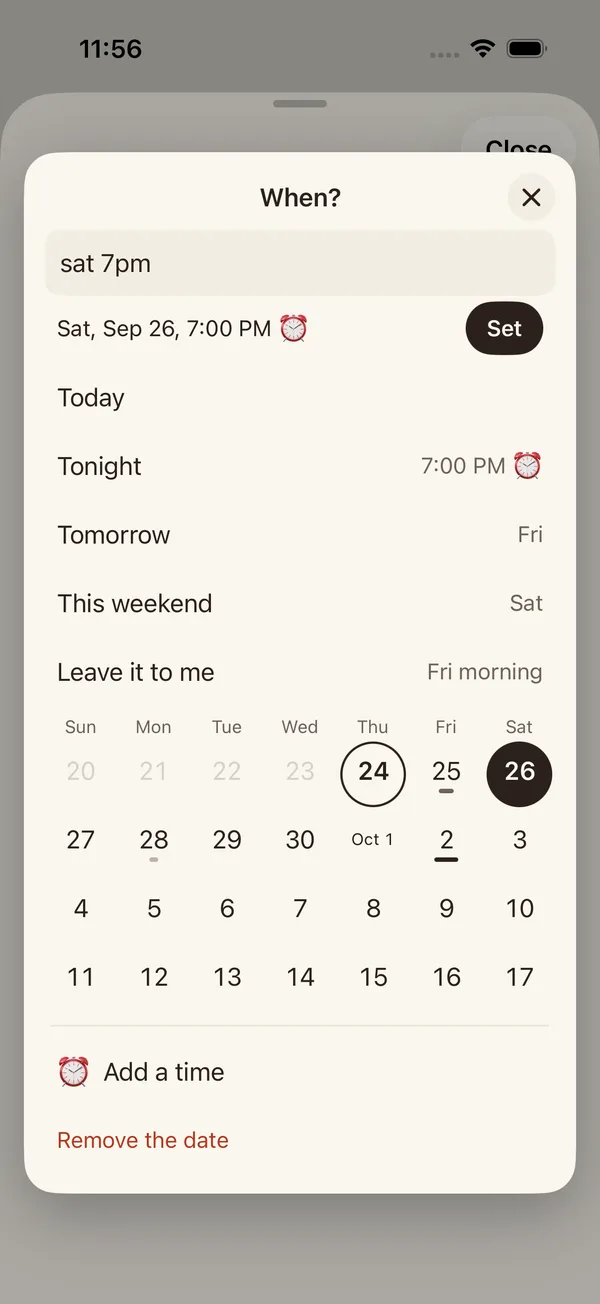
The When card: the words sat 7pm read as Sat, Sep 26, 7:00 PM with a Set button, the picks, Leave it to me, and four weeks with a bar under the busy days
Capture

Just say "Add to Amatya".

On iPhone, say "Hey Siri, add to Amatya", then say what's on your mind. Amatya takes it and asks once if there is anything to add. It works from Siri, Shortcuts, Spotlight and the Action button, without opening the app.

  • "What's next in Amatya?" Siri reads your next item on Today and what follows.
  • Another way to say it. "Remind me with Amatya" works too.

Try"Hey Siri, add to Amatya"

Capture

Locked bank PDFs, opened for you.

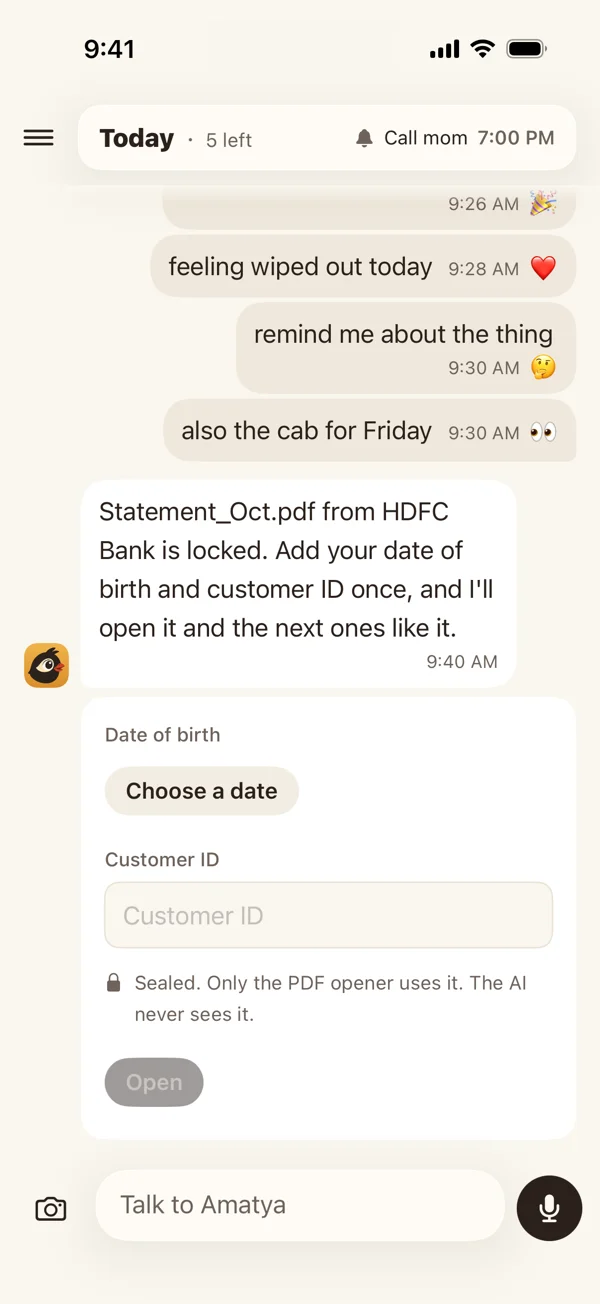
Banks lock statements with a password made from your name, date of birth or PAN. Forward the email, and Amatya reads the hint and opens the PDF. If it needs a detail it does not have, a small card asks for it once. The next statement opens on its own.

  • The AI never sees it. Your details are sealed with a key for your account only. Code uses them to open your PDFs, and nothing else.
  • Shared from your phone. Share a locked PDF in the app, type its password, and it opens on your phone. Amatya does not keep the password and gets only the open copy.
  • See and delete each one under Locked PDFs on your account page.

Tryforward your card statement

Amatya says a bank statement is locked, and a sealed card asks for the date of birth and customer ID
Capture

Forward an email.

You get your own Amatya email address. Forward a bill, a booking or a school notice to it. Amatya reads it the way it reads anything you say: a bill becomes a dated task, a newsletter gets a plain "Noted."

  • Only your own addresses. The first email from a new address waits until you tap Yes in chat.
  • No typing for bills. Set a Gmail filter to forward your bank's mail, and the bill arrives on its own.
  • Find your address on your account page, with Copy and Add to Contacts, or just ask.

Try"what's my Amatya email?"

Capture

Send it from any app.

Amatya is in the share sheet on iPhone and Mac. Share a photo, a link, some text or a PDF, with one optional line of your own words. It goes to Amatya without opening the app.

  • Photo of a list. In the camera menu: take a photo of a handwritten list, and each line becomes an item.
  • Items in Spotlight. Search on your iPhone or Mac finds your open items. Turn it off in "What I know about you", or just ask.

Trya photo of your shopping list, with "add these"

Judgment

Amatya knows when you are free.

Amatya now reads the busy times on your phone's calendar. It never reads titles or people. A gap in your day is a good time for a push. A meeting is quiet time.

  • Busy times on Today. A thin strip at the top of Today shows your meetings as blocks.
  • On the Mac too. Your Mac asks once for calendar access, then reads busy times the same way.

Try"when am I free today?"

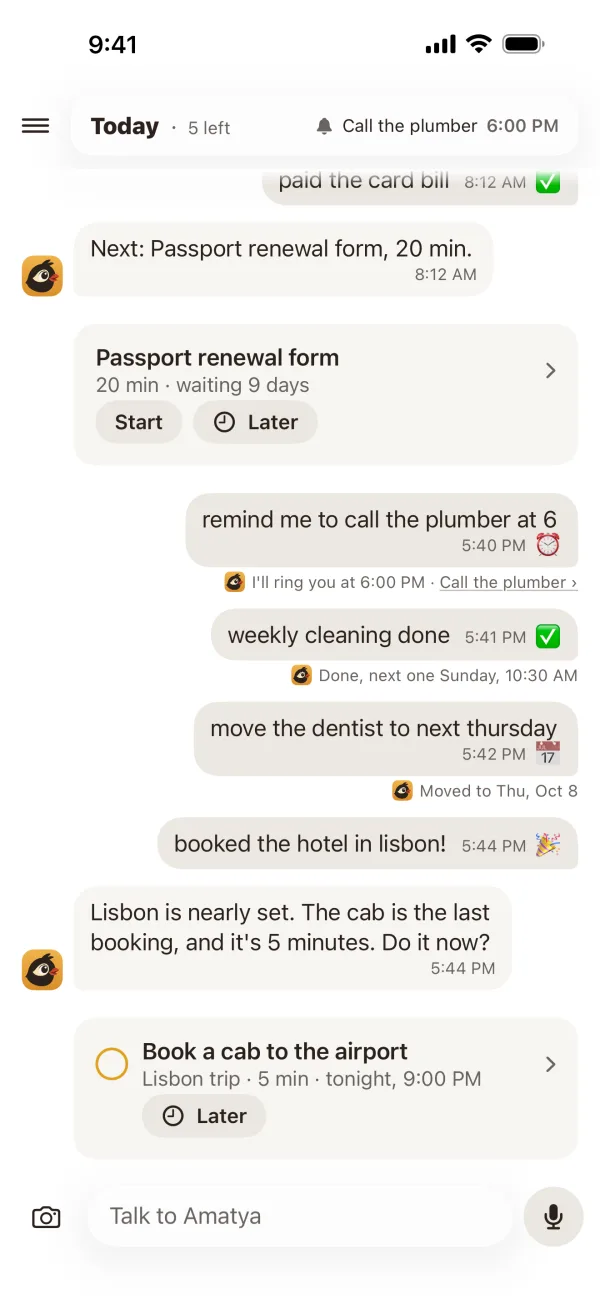
A nudge in a free gap
Planning

Playbooks: do it once, reuse it.

When you finish a goal with steps, Amatya can keep the steps. The next time, it offers them. Your packing list, your month-end close, your trip to Goa.

Try"plan my trip to Goa, like last time"

Memory

It remembers what matters.

Amatya keeps a fact only if it changes what Amatya says or when. Who people are stays. What is ahead, like a trip or money owed, comes first and ends on its date. A rule you state, such as "no work before 10:30 AM", is never dropped.

Try"what do you know about me?"

The list

Today reads as a day.

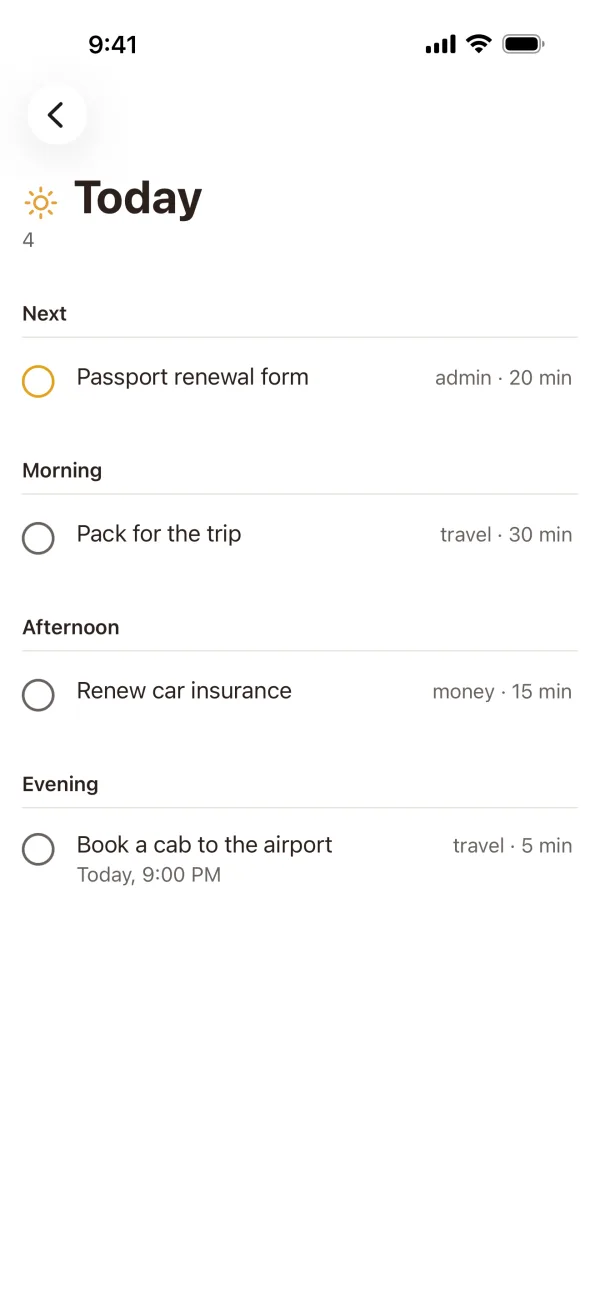
Today shows Next first, then morning, afternoon and evening. Drag an item and it keeps that order until midnight. An item that waits on something else stays off Today until that thing is done.

  • Buttons under an alarm. Done, 15 min, 1 hour and Tonight, from the lock screen.
  • Share your week. Done shows the last seven days at the top. On Sunday, share a card with your done count and a bar for each day.
  • Amatya's own sounds. A short chirp for a nudge, a longer call for an alarm.
  • A feel for each tap. Done gives a firm tap, a long answer lands with a soft one, and Later on a row waits a moment with Undo.
The Today list
Mac

A faster Mac panel.

Press ⌃⌥Space from anywhere, type, and press Return. The panel closes and you are back where you were.

The quick capture panel on the Mac

Small fixes

  • An email your mail app sends twice now arrives once.
  • Say "go back to the normal order" and Today drops the order you dragged.
  • "Remind me in 2 mins" rings again.
  • A drag on Today no longer hides the morning and evening headings.